ai-sdk-harness-workspace
Git workspaces for AI SDK harness agents: a checkout of its own for each session, side by side in one sandbox, and its changes back as a patch.
Git workspaces for AI SDK harness agents: your repository — or your repositories, an API, a web app and services side by side — checked out for each session of Claude Code, Codex and the other runtimes HarnessAgent drives, a worktree of its own for each session, so that several of them work side by side on one repository in one sandbox, and what each agent changed, read back as a patch. On any sandbox, and with your Git credentials kept out of it.
At a glance
HarnessAgent gives each session an empty working directory in its sandbox. A workspace puts your code there:
import { HarnessAgent } from '@ai-sdk/harness/agent';
import { createSessionManager, sharedSandbox } from 'ai-sdk-harness-sessions';
import { createWorkspace, gitRepository, withWorkspace } from 'ai-sdk-harness-workspace';

const workspace = createWorkspace({
  source: gitRepository({ url: 'https://github.com/acme/widgets.git' }),
  setup: ['pnpm install --frozen-lockfile'],
});

// The agent checks the repository out in each session's working directory, before it starts.
const agent = new HarnessAgent(withWorkspace({ harness, model }, workspace));

const sessions = createSessionManager({
  agent: () => agent,
  // The sessions' sandboxes, each session given a checkout in it. `openSandbox` is yours: it opens
  // a sandbox of ai-sdk-sandbox-sbx, ai-sdk-sandbox-cloud-run… as ai-sdk-harness-sessions shows.
  sandboxes: workspace.sandboxes(sharedSandbox({ open: openSandbox, ports })),
});

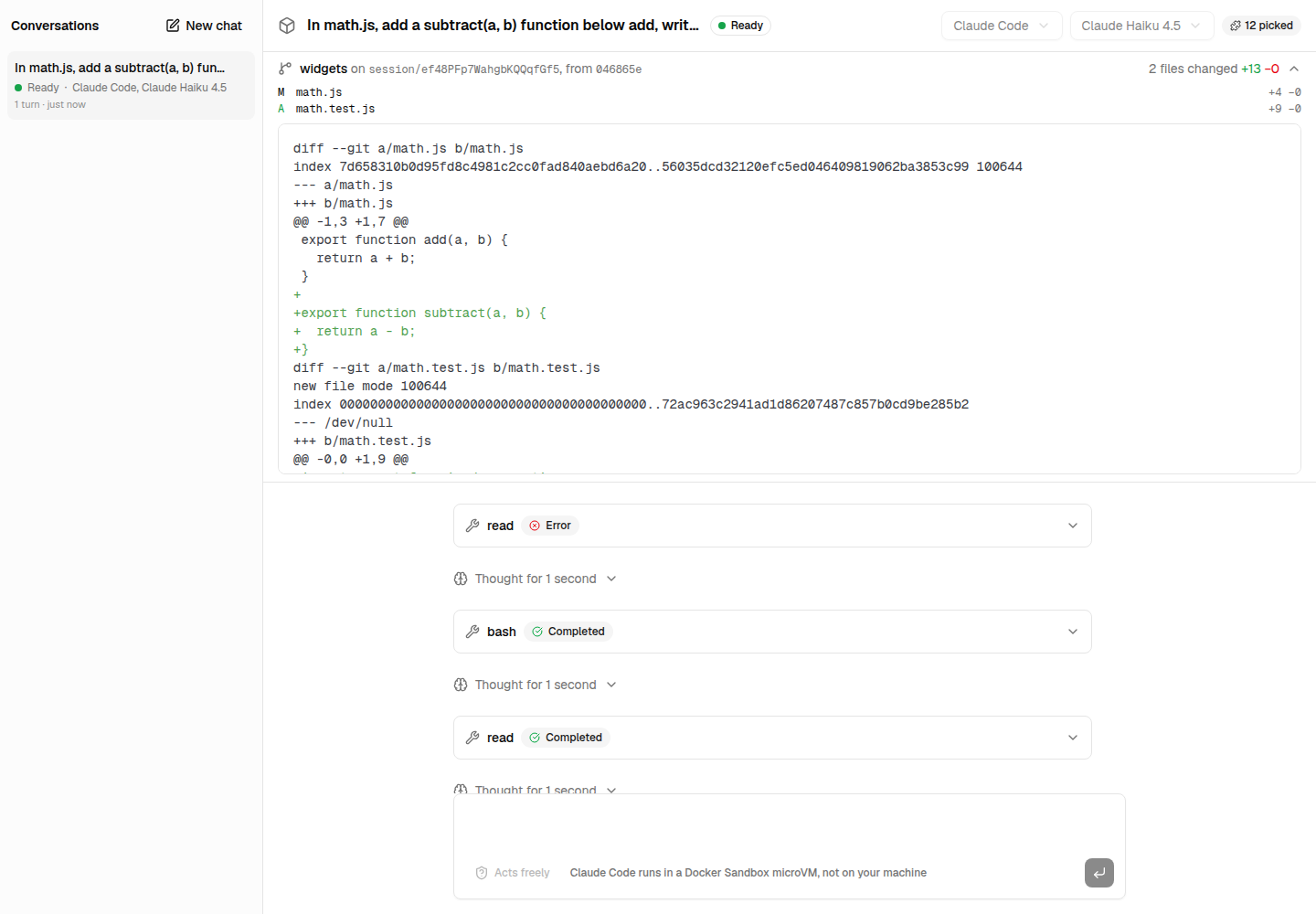
// Later: what the agent of session `id` changed, as `git apply` takes it.
const patch = await workspace.session(id)?.changes();| When | What the workspace does |
|---|---|
| A session starts | Fetches what the sandbox lacks of the repository, then checks it out in the session's working directory: a worktree on the branch session/<id> |
| …and the checkout is new | Runs your setup commands in it, pnpm install for instance, before the agent starts |
| The agent works | Nothing: it edits, runs and commits in its checkout, the other sessions in theirs |
| You want its work | changes() gives everything it changed since the checkout started, commits included, as a binary patch; changedFiles() the list, with counts |
| The session is suspended, and resumes | Keeps its checkout, and finds it again: the agent resumes with its changes where it left them |
| The session is closed | Removes its checkout, its branch and what kept its base |
Installation
pnpm add ai-sdk-harness-workspace@ai-sdk/harness and ai are peer dependencies. The sandbox needs git 2.31 or later, which the shell kit of ai-sdk-sandbox-sbx has; check the image of another sandbox. ai-sdk-harness-sessions is not required, but the workspace is made to go with it.
Usage
With a session manager
Two steps tie a workspace to the sessions, and the manager calls both:
workspace.sandboxes(sandboxes)wraps theSessionSandboxesyou give the manager,sharedSandbox()orsandboxPerSession(): it knows the sandbox of each session, keeps the checkout of a suspended session and removes the checkout of a closed one, including a session closed while it was suspended.withWorkspace(settings, workspace)gives the agent asandboxConfig.onSessionthat checks the repository out in the working directory the harness made for the session, or finds the checkout again when the session resumes, before the agent starts and before your ownonSessionruns.
import { createClaudeCode } from '@ai-sdk/harness-claude-code';
import { HarnessAgent } from '@ai-sdk/harness/agent';
import { createSessionManager, sharedSandbox } from 'ai-sdk-harness-sessions';
import { createWorkspace, hostRepository, withWorkspace } from 'ai-sdk-harness-workspace';

export const workspace = createWorkspace({
  source: hostRepository({ path: '/srv/repositories/widgets' }),
  setup: ['pnpm install --frozen-lockfile'],
});

const agent = new HarnessAgent(
  withWorkspace({ harness: createClaudeCode(), model: 'claude-sonnet-5-5' }, workspace),
);

export const sessions = createSessionManager({
  agent: () => agent,
  sandboxes: workspace.sandboxes(
    sharedSandbox({ open: openSandbox, ports: Array.from({ length: 4 }, (_, i) => 4001 + i) }),
  ),
});
openSandbox opens the sandbox the sessions share, from the sandbox package of your choice: the workspace imports none, and works with any. See Opening the sandbox for it with a Docker Sandbox, Cloud Run, srt or microsandbox.
The sessions of one sandbox share one copy of the repository, kept bare outside their working directories: a new session fetches only the commits the sandbox does not have yet, and its checkout costs a git worktree add. Sessions in sandboxes of their own (sandboxPerSession()) get a copy each.
With ai-sdk-harness-plugins, apply the plugins last, so that their files are written in the checkout rather than before it, and kept out of its changes:
const agent = new HarnessAgent(withPlugins(withWorkspace(settings, workspace), plugins));Where the code comes from
| Source | The repository is… | Credentials | Sandboxes |
|---|---|---|---|
gitRepository() | Served by a Git server: GitHub, GitLab, your own | Brokered: the token stays on your server, the sandbox sends a placeholder | Any, with credential brokering for a private one |
hostRepository() | On your server, kept up to date by you | None in the sandbox: it gets Git bundles | Any |
sandboxRepository() | Already in the sandbox: a mount, an image, a template | None | Any |
A Git server: gitRepository()
import { gitRepository } from 'ai-sdk-harness-workspace';

// A public repository, at its default branch.
gitRepository({ url: 'https://github.com/acme/widgets.git' });

// A private one, at a branch, with a token asked for at each fetch.
gitRepository({
  url: 'https://github.com/acme/private.git',
  ref: 'develop',
  credentials: async () => ({ token: await installationToken('acme/private') }),
});
Each new session fetches the repository in the sandbox. A private repository's token never enters it: the workspace registers it with the sandbox's credential brokering (addRequestTransformations, which ai-sdk-sandbox-sbx, ai-sdk-sandbox-microsandbox, ai-sdk-sandbox-cloud-run and ai-sdk-sandbox-runtime have), and git sends a placeholder the sandbox's proxy swaps for it on the way out. A sandbox without credential brokering is refused rather than handed the token. username defaults to x-access-token, what GitHub takes with an app's installation token; GitLab takes oauth2, Bitbucket x-token-auth.
Your server: hostRepository()
import { hostRepository } from 'ai-sdk-harness-workspace';

hostRepository({ path: '/srv/repositories/widgets', ref: 'main' });
The repository stays on your server, which keeps it up to date — a git fetch with credentials of its own — and each new session gets the commits its sandbox lacks as a Git bundle, written into the sandbox. Nothing in the sandbox can reach the repository, nor the server it comes from, and it works on every sandbox, Cloud Run included. Needs git on your server; ref is a branch or a tag.
The sandbox: sandboxRepository()
import { createSbxNetworkSandboxSession } from 'ai-sdk-sandbox-sbx';
import { sandboxRepository } from 'ai-sdk-harness-workspace';

// A Docker Sandbox with the repository of this host mounted read-only, beside a working directory.
await createSbxNetworkSandboxSession({
  workspace: '/srv/agents',
  readOnlyWorkspaces: ['/srv/repositories/widgets'],
  ports,
});

sandboxRepository({ path: '/srv/repositories/widgets' });
A repository already in the sandbox, which the workspace fetches from and never writes to: a read-only mount, a clone the sandbox's image or template holds. Keep it out of the sandbox's default working directory, where the harness makes the sessions' own: an agent that climbs out of its checkout would find it.
Several repositories
Code split across repositories — an API, a web app, services — goes in repositories in place of source: each is checked out in a directory of the session's working directory named after its key, so the agent sees them side by side, as one tree.
const workspace = createWorkspace({
  repositories: {
    api: {
      source: gitRepository({ url: 'https://github.com/acme/api.git', credentials }),
      setup: 'pnpm install --frozen-lockfile',
    },
    web: gitRepository({ url: 'https://github.com/acme/web.git', credentials }),
    'services/billing': hostRepository({ path: '/srv/repositories/billing' }),
  },
  // Runs in the working directory, after the setup of each repository.
  setup: 'docker compose config --quiet',
});
A repository takes its source alone, or with its own setup, setupEnv — on top of the workspace's — and repositoryPath. Every checkout of a session is on the same branch, session/<id>, each from the commit fetched for it. Two repositories must not share a directory, nor one sit within another's, nor have sources of the same name: each is kept bare in a repository of its own in the sandbox.
The session then answers for all of them, and repository(name) for one:
const session = workspace.session(id);

// Every file changed, its path relative to the working directory: `api/src/routes.ts`, `web/…`.
await session?.changedFiles();
// One patch for all of them, that `git apply` takes in a directory holding the repositories.
await session?.changes();
// What changed in the API alone: a patch for a clone of it at `api.base`, where it started.
const api = session?.repository('api');
await api?.changes();
Reading what the agent changed
workspace.session(id) is the checkout of a live session — undefined once it is suspended or closed:
import { workspace } from '@/lib/sessions';

export async function GET(_request: Request, { params }: { params: Promise<{ id: string }> }) {
  const checkout = workspace.session((await params).id);
  if (checkout === undefined) return new Response('The session is not live.', { status: 409 });
  return Response.json({ base: checkout.base, files: await checkout.changedFiles() });
}
changes() compares the checkout with the commit it started from, base: edits, new files, deletions, binary files, and the commits the agent made, files the repository ignores left out. It never touches the agent's own index. The patch applies with git apply --binary on a clone at base, where your server commits and pushes it with its own identity and credentials: the agent never needs either. Each file of changedFiles() names its repository as well: with several repositories, group them by it, and publish each repository's changes() on a clone of it at its own base.
Tools that work in the checkout
A tool of your server receives the session's sandbox as experimental_sandbox. workspace.fromSandbox() finds the checkout from it, to run a command where the agent works:
import { tool } from 'ai';
import { z } from 'zod';

const runTests = tool({
  description: 'Run the test suite of the repository.',
  inputSchema: z.object({}),
  execute: async (_input, { experimental_sandbox }) => {
    const checkout = experimental_sandbox && workspace.fromSandbox(experimental_sandbox);
    if (checkout === undefined) throw new Error('No checkout for this session.');
    const { exitCode, stdout, stderr } = await checkout.run('pnpm test', { timeoutMs: 300_000 });
    return { passed: exitCode === 0, output: `${stdout}${stderr}`.slice(-4000) };
  },
});
Files of the session's own
writeLocalFile(path, content) writes a file in the checkout that never shows in its changes, whether the repository has one at that path or not: an .env.local, settings of the runtime. With several repositories, the path is relative to the working directory, api/.env.local, and a file outside every checkout is in no repository's changes anyway.
await workspace.session(id)?.writeLocalFile('.env.local', 'API_URL=http://localhost:4000\n');Without a session manager
workspace.open() ties a sandbox to a session you start yourself. close() removes the checkout; neither it nor suspend() stops the sandbox, which is yours:
const agent = new HarnessAgent(withWorkspace({ harness, model }, workspace));
const lease = workspace.open({ sessionId, sandboxSession });
const session = await agent.createSession({ sessionId, sandboxSession: lease.sandboxSession });

await agent.generate({ session, prompt: 'Fix the failing test.' });
const patch = await workspace.session(sessionId)!.changes();

await session.destroy();
await lease.close();
Pass resume: true to open() with a session you resume (resumeFrom): its checkout must still be there.
How it works
In the sandbox, for a workspace whose source is named widgets:
| What | Where |
|---|---|
| The repository, bare | $HOME/.ai-sdk-harness/repositories/widgets.git (repositoryPath to choose another) |
| A session's checkout | Its working directory, <defaultWorkingDirectory>/<harness>-<sessionId>: a worktree |
| Its branch | session/<sessionId> (branch to choose another), from the commit fetched for it |
| The commit it started from | The ref refs/ai-sdk-harness/base/<sessionId> of the repository |
With several repositories, each has its bare repository, named after its source, and its checkout in <working directory>/<key>; closing the session removes the working directory with them.
Everything about a session's checkout derives from its id, so a resume finds it again with nothing stored on your side. The workspace runs git in the sandbox with the repository's hooks and file-system monitor turned off, whatever an agent wrote in its configuration, and every input as an argument of a script, never spliced into it. Git commits need an author: the workspace gives the agents Harness agent <agent@ai-sdk-harness.invalid> (committer to choose another) unless git in the sandbox already has one.
Security
- Credentials.
gitRepository()keeps a token out of the sandbox, but while a fetch runs its placeholder is in the environment of git, which another process of the sandbox could read, and use with the sandbox's proxy for as long as the session's sandbox holds the credential. Give a token that can read the repository and nothing else, short-lived — a GitHub App's installation token.hostRepository()andsandboxRepository()involve no credential at all. - Sessions of one sandbox trust each other. They share the repository: an agent can reach the objects, branches and configuration of the others. Give sessions that must not see each other a sandbox each (
sandboxPerSession()). - A patch is what the agent made it. Read it before you apply it on your server, and apply it with
git apply, which refuses paths outside the repository.
Reference
| Export | What it does |
|---|---|
createWorkspace(options) | A workspace: source and repositoryPath, or repositories; setup, setupEnv, setupTimeoutMs, branch, committer |
withWorkspace(settings, workspace) | The settings of a HarnessAgent, with the onSession that checks the workspace out |
gitRepository(options) | A source served by a Git server: url, ref, depth, credentials, name |
hostRepository(options) | A source on your server, sent as Git bundles: path, ref, name |
sandboxRepository(options) | A source already in the sandbox: path, ref, name |
A Workspace has sandboxes(sandboxes), open({ sessionId, sandboxSession, resume }), onSession(input), session(sessionId) and fromSandbox(sandbox). A WorkspaceSession, the checkouts of a live session, has sessionId, directory, branch, run(command, { env, timeoutMs, abortSignal }), writeLocalFile(path, content), changes(), changedFiles(), repositories and repository(name) — and base, with one repository. A WorkspaceCheckout, one repository's, has name, directory, branch, base and the same methods. Write a WorkspaceSource of your own — a name, and a fetch() that points a ref of the repository at the commit to check out — for another origin.
Errors
Each has an isInstance() that recognizes it whichever copy of the package threw it, as Next.js may load two.
WorkspaceError: a step failed in the sandbox —stepsays which (fetch,checkout,changes…),stderrwhat git said. The others extend it.WorkspaceLostError: a session resumes, but its checkout is gone from its sandbox — removed, or the sandbox was. Close the session and start another. CarriessessionId, and with several repositories therepositorywhose checkout is gone.WorkspaceSetupError: asetupcommand failed, or ran out of time, in a new checkout: the session does not start. Carriescommand,exitCodeandoutput.
Limitations
- A suspended session's checkout cannot be read:
workspace.session(id)isundefineduntil the session resumes. Read the changes before you suspend or close a session whose work you want. - Closing a suspended session needs its sandbox for a moment, to remove the checkout: with
sharedSandbox(), a slot. When none is free, the checkout stays in the sandbox. - Worktrees share the repository's configuration and
info/exclude: a local file of one session is ignored in the others too. - Only HTTPS for
gitRepository()'s credentials: SSH URLs are refused.
Development
pnpm --filter ai-sdk-harness-workspace test:e2e runs real Claude Code sessions in a Docker Sandbox: two side by side on one repository, each reading back its own changes, one suspended and resumed with its checkout, then closed; a repository mounted read-only; and a GitHub repository fetched with a brokered token when GITHUB_TOKEN or the gh login is there. It needs sbx signed in and a Claude credential. See CONTRIBUTING.md.
License
ai-sdk-harness-sessions
Sessions for AI SDK harness agents: suspended when idle, resumed on the next message and after a restart, waiting for an approval, several in one sandbox.
ai-sdk-harness-approval
An approval policy for AI SDK harness agents: commands and edits allowed, asked or denied by rule, "always allow" for a session, and the agent's questions answered.