ai-sdk-sandbox-sbx
Docker Sandboxes for AI SDK harness agents: Claude Code, Codex and friends in a local microVM.
Run AI SDK harness agents (Claude Code, Codex, OpenCode…) in a Docker Sandbox: a microVM on your machine, or in Docker Sandboxes Cloud, driven through the sbx CLI.
The package gives HarnessAgent.createSession({ sandboxSession }) what it expects, a HarnessV1NetworkSandboxSession, the same way @ai-sdk/sandbox-vercel does for Vercel Sandbox:
- Isolation: every command and file operation is an
sbx execinto the microVM. Nothing runs on the host, and nothing of the host is mounted unless you ask for it. - Credentials stay on the host: the harness hands the sandbox a placeholder; the Docker Sandboxes proxy swaps the real value in on the way out.
- The harness is installed once: pass
agent.getSandboxTemplate()and the first sandbox is saved as a template image; every later one starts from it in seconds. - Local or cloud: the same API runs the sandbox on your machine, its ports on the loopback only, or in Docker Sandboxes Cloud with
cloud: true.
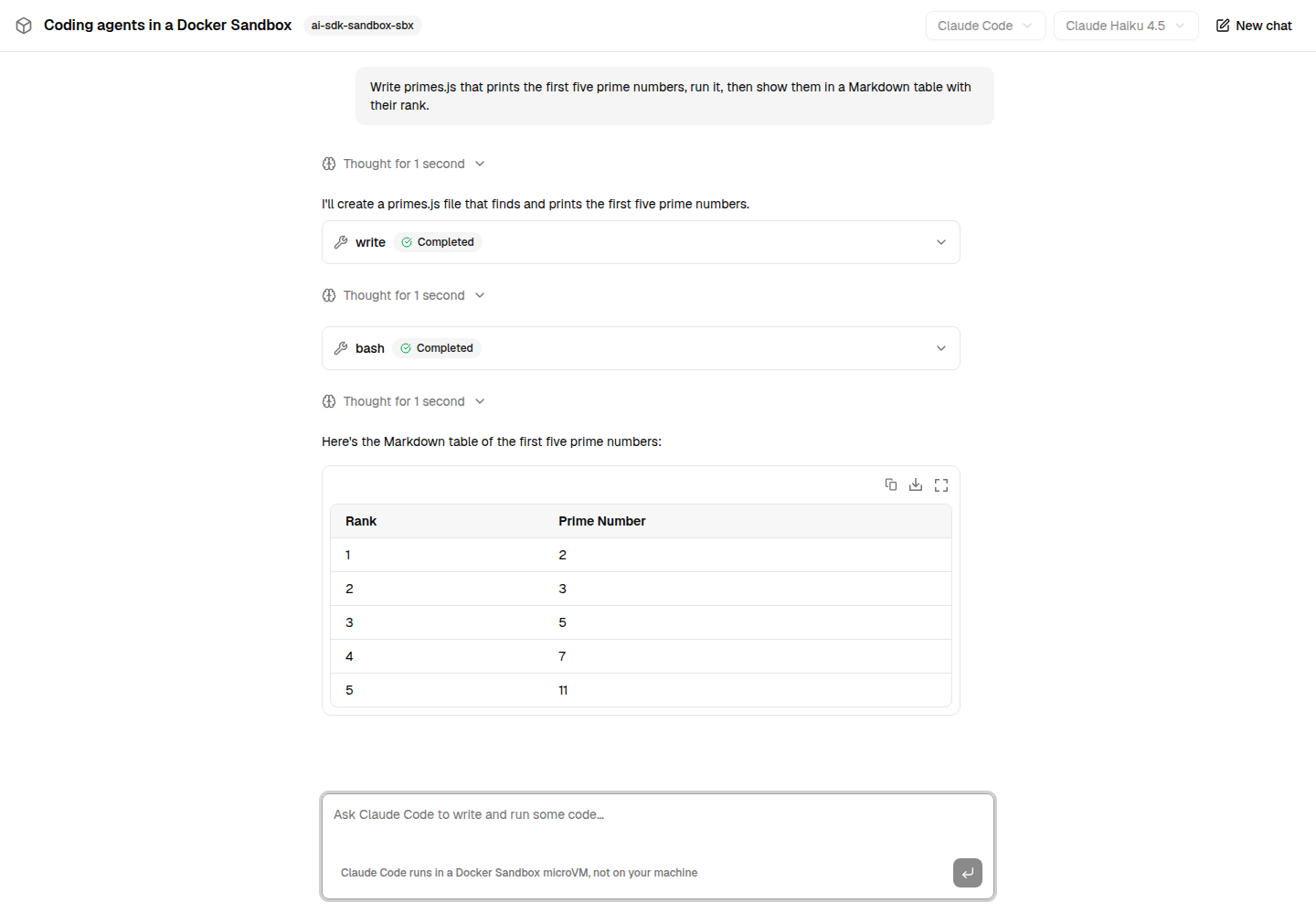
This package follows Semantic Versioning. The AI SDK harnesses it plugs into are themselves experimental, and its cloud mode is too. It is a community package, not affiliated with Vercel or Docker.
Requirements
- Node.js 24 or later.
- Docker Sandboxes installed, with
sbxon thePATH(or pointed at by thebinaryoption), and signed in (sbx login). @ai-sdk/harnessand a harness adapter, such as@ai-sdk/harness-claude-code.
Installation
pnpm add ai-sdk-sandbox-sbx @ai-sdk/harness @ai-sdk/harness-claude-codeUsage
import { HarnessAgent } from '@ai-sdk/harness/agent';
import { createClaudeCode } from '@ai-sdk/harness-claude-code';
import { createSbxNetworkSandboxSession } from 'ai-sdk-sandbox-sbx';

// Authenticated from CLAUDE_CODE_OAUTH_TOKEN or ANTHROPIC_API_KEY.
const agent = new HarnessAgent({ id: 'coder', harness: createClaudeCode() });

const sandboxSession = await createSbxNetworkSandboxSession({
  // The Claude Code bridge listens on the first port; the harness reaches it on the loopback.
  ports: [4000],
  // The bridge installs its dependencies with pnpm, which the `shell` kit does not ship.
  setup: ['npm install --global --silent pnpm@10'],
  // Bakes Claude Code into a local image the first time, reused afterwards.
  template: await agent.getSandboxTemplate(),
});
const session = await agent.createSession({ sandboxSession });

try {
  const result = await agent.generate({
    session,
    prompt: 'Write a script that prints the first ten primes, then run it.',
  });
  console.log(result.text);
} finally {
  await session.destroy();
  await sandboxSession.destroy();
}
The caller owns the sandbox: ending the harness session leaves it running. stop() stops its microVM and keeps its files; destroy() removes it.
agent.stream() works the same way, and its result's toUIMessageStreamResponse() feeds useChat straight away. The Next.js example is a complete chat on top of it.
Templates
A harness bootstraps itself in the sandbox before its first turn: Claude Code installs @anthropic-ai/claude-agent-sdk and the claude CLI, which takes a minute or two. Pass the agent's template and it happens once:
const sandboxSession = await createSbxNetworkSandboxSession({
  ports: [4000],
  setup: ['npm install --global --silent pnpm@10'],
  template: await agent.getSandboxTemplate(),
});
The first call creates a throwaway sandbox, runs setup in it, lets the harness prepare it, saves it with sbx template save and removes it. The image is named ai-sdk-harness-template:<digest>, the digest covering the harness recipe, the agent kit, the image and the setup commands, so a new harness version gets an image of its own. Every later sandbox starts from it with sbx create --template … --pull never.
The images stay in the sandbox runtime's store: list them with sbx template ls, remove an outdated one with sbx template rm.
Resuming a sandbox
Creation never resumes: a sandbox already named sandboxId is a conflict. Name the sandbox, keep its id, and reattach to it, from the same process or another one:
import {
  createSbxNetworkSandboxSession,
  resumeSbxNetworkSandboxSession,
  SbxSandboxNotFoundError,
} from 'ai-sdk-sandbox-sbx';

async function openSandbox() {
  try {
    const sandbox = await resumeSbxNetworkSandboxSession({ sandboxId: 'my-agent', ports: [4000] });
    // A previous run may have left a bridge behind, holding the port.
    await sandbox.killAllProcesses();
    return sandbox;
  } catch (error) {
    if (!(error instanceof SbxSandboxNotFoundError)) throw error;
    return createSbxNetworkSandboxSession({ sandboxId: 'my-agent', ports: [4000] });
  }
}
A stopped sandbox starts again on the first command. sbx does not remember which ports a harness uses until they are published, so pass the same ports again.
Working on your files
By default the sandbox mounts nothing of the host: the agent works on the microVM's own filesystem. Mount a directory to let it work on yours:
// Read-write: the agent edits the directory itself.
await createSbxNetworkSandboxSession({ workspace: '/path/to/project', ports: [4000] });

// A private clone of a Git repository instead: the host repository is mounted read-only, and
// the agent's commits come back through the `sandbox-<name>` git remote on the host.
await createSbxNetworkSandboxSession({ workspace: '/path/to/repo', clone: true, ports: [4000] });

// More directories, read-only.
await createSbxNetworkSandboxSession({ readOnlyWorkspaces: ['/path/to/docs'], ports: [4000] });
The sandbox's working directory (defaultWorkingDirectory, under which the harness creates each session's own directory) is read from the live sandbox: the workspace when one is mounted, /home/agent/workspace otherwise.
Docker Sandboxes Cloud
With cloud: true, the sandbox runs in Docker Sandboxes Cloud rather than on your machine: every sbx command goes out as sbx --cloud …. It needs a Docker Agentic Platform subscription and sbx login (personal access tokens carry no cloud access).
const sandboxSession = await createSbxNetworkSandboxSession({
  cloud: true,
  ports: [4000],
  setup: ['npm install --global --silent pnpm@10'],
  template: await agent.getSandboxTemplate(),
  ttl: '2h',
  onTimeout: 'stop',
});
What changes from a local sandbox:
- Nothing of your machine is mounted:
workspace,cloneandreadOnlyWorkspacesare refused. Copy what the agent needs in withwriteFile(), or clone it from inside the sandbox. - Ports get a public URL assigned by the control plane, instead of a loopback port. The harness bridges authenticate their connections with a token of their own.
- Credentials are set by the proxy: the cloud proxy puts the whole header on the requests to the host, under a secret named after the sandbox, the host and the header. Cloud secrets belong to the account, so
destroy()removes them too. - Templates live in the cloud registry, named
ai-sdk-harness-template-<digest>. Saving one snapshots the running sandbox and takes several minutes; list them withsbx --cloud template ls. - A cloud sandbox has a time-to-live, 24 hours at most: set it with
ttlandonTimeout, extend it withextendTtl('1h').stop()suspends it with its memory. - Sizing comes in billable shapes:
cpusandmemorytogether, 2 /4gby default.allowNetworkandplatformare cloud-only settings.
Cloud support is experimental: it follows the sbx --cloud command reference, and may change in a minor release while it settles. Its e2e suite runs with SBX_E2E_CLOUD=1 pnpm test:e2e.
Credentials
A harness that supports credential brokering never puts the real credential in the sandbox. It hands the sandbox a random placeholder and asks the sandbox session to transform the requests on their way out. This package turns each transformation into an sbx secret set-custom scoped to the sandbox, so the Docker Sandboxes proxy replaces the placeholder with the real value (a cloud proxy sets the whole header instead), which only exists on the host and in the proxy. The placeholders are withdrawn by release() and stop(), and removed with the sandbox by destroy().
Turn it off with brokerCredentials: false for an sbx without custom secrets: the harness then forwards the real credential into the sandbox environment.
Docker Sandboxes also pre-sets its own credential variables (ANTHROPIC_API_KEY, OPENAI_API_KEY, GH_TOKEN…) to a proxy-managed placeholder, for credentials stored with sbx secret set. Left in place, one can take precedence over the credential the harness passes (the claude CLI prefers ANTHROPIC_API_KEY to CLAUDE_CODE_OAUTH_TOKEN), so they are dropped from every command that does not set them itself. Keep them with keepProxyManagedEnv: true; drop more with clearEnv.
Variables a command does set are forwarded as bare sbx exec -e NAME: sbx reads the value from its own environment, so it never appears on a command line.
Network
Outbound traffic goes through the Docker Sandboxes proxy and its policy (sbx policy). denyNetwork adds deny rules for the new sandbox only. A local deny can only narrow egress, so it holds whatever the global policy allows:
await createSbxNetworkSandboxSession({
  denyNetwork: ['github.com', '*.github.com'],
  ports: [4000],
});
setNetworkPolicy is not implemented: the harness treats it as optional, and sbx policy remains the place to manage what the sandbox may reach.
Ports
ports lists the ports inside the sandbox the harness may reach. Each one is published the first time getPortEndpoint() asks for it, on this host's loopback (127.0.0.1:<free port>) or, for a cloud sandbox, at the public https:// URL the control plane assigns, and unpublished by release(), stop() or setPorts(). A port outside the list is refused with HarnessCapabilityUnsupportedError.
Lifecycle
| Method | What it does |
|---|---|
release() | Stops the processes this session started, unpublishes its ports, withdraws its placeholders |
killAllProcesses() | Stops every process any session started in the sandbox, including what a previous run left behind |
stop() | release(), then stops the microVM. Its files stay; the next command starts it again |
extendTtl(duration) | Extends the time-to-live of a cloud sandbox ('1h'), within its 24 hours |
destroy() | Removes the sandbox, its files and its secrets |
restricted() | The files-and-processes view of the same sandbox, to hand to tools (see below) |
restricted() returns an Experimental_SandboxSession: it can run commands and read and write files, but cannot stop the sandbox, publish ports or touch credentials. Pass it to AI SDK tools that accept experimental_sandbox.
Options
createSbxNetworkSandboxSession(options) takes every option below; resumeSbxNetworkSandboxSession(options) takes sandboxId, abortSignal, cloud and the connection settings.
| Option | Default | Description |
|---|---|---|
sandboxId | ai-sdk-<hex> | The sandbox's name in sbx ls. Creation fails if it is taken |
template | none | await agent.getSandboxTemplate(): prepare once, start every later sandbox from the image |
abortSignal | none | Aborts the creation or the resume |
agent | 'shell' | The Docker Sandboxes agent kit: its image and network rules |
image | the kit's own | Container image to use instead (sbx create --template) |
cloud | false | Run in Docker Sandboxes Cloud (sbx --cloud) rather than on this host |
workspace | none | Host directory to mount read-write as the working directory (local only) |
clone | false | With workspace: a private clone of the Git repository instead (local only) |
readOnlyWorkspaces | [] | More host directories, mounted read-only (local only) |
denyNetwork | [] | Hosts the sandbox may never reach (sbx create --deny-network) |
allowNetwork | [] | Hosts a cloud sandbox may reach, on top of the account's policy (cloud only) |
cpus | decided by sbx | CPUs of the microVM |
memory | decided by sbx | Memory limit of the microVM (4g, 512m) |
platform | decided by sbx | linux/amd64 or linux/arm64 (cloud only) |
ttl | decided by sbx | Time-to-live of a cloud sandbox, 24 hours at most (cloud only) |
onTimeout | decided by sbx | stop, restart or delete the cloud sandbox when its ttl lapses (cloud only) |
setup | [] | Commands run once after creation, as the sandbox user (who has sudo), baked into the template |
ports | [] | Connection. Ports the harness may reach, published on demand |
brokerCredentials | true | Connection. Keep credentials out of the sandbox, swapped in by the proxy |
clearEnv | [] | Connection. More variables to drop from commands that do not set them |
keepProxyManagedEnv | false | Connection. Keep the proxy-managed credential variables Docker Sandboxes pre-sets |
binary | 'sbx' | Connection. The sbx binary |
Errors
SbxSandboxNotFoundError:resumeSbxNetworkSandboxSession()found no sandbox of that name. CarriessandboxId.SbxError: ansbxcommand exited with a non-zero status. Carriesargs,exitCodeandstderr.HarnessCapabilityUnsupportedError(from@ai-sdk/harness): a port that is not exposed, or a credential the proxy cannot broker.
Limitations
- One bridge per port. A bridge-backed harness listens on the first port: run one harness session at a time per sandbox, or give each its own port.
Development
This package lives in the ai-sdk-harness monorepo. pnpm test runs the unit tests against a fake sbx; pnpm test:e2e runs them against the real one, creating and removing sandboxes on your machine.