Managing sessions
Run your users' conversations with ai-sdk-harness-sessions — several in one sandbox, suspended when idle, resumed after a restart, waiting for approvals.
This guide starts from the agent of Getting started, Claude Code in a Docker Sandbox, and makes a chat of it: many conversations, each a session that runs while the user reads another one, that stops costing anything when nobody writes to it, and that picks up where it was. Every option is in the package's documentation.
Install the package
pnpm add ai-sdk-harness-sessionsCreate the manager
One manager for your server. Its sessions share one sandbox: each works in a view of it, with a port of its own for its harness bridge, and four run side by side.
import { createSessionManager, sharedSandbox } from 'ai-sdk-harness-sessions';

export const sessions = createSessionManager<{ title: string }>({
  agent: () => agent,
  sandboxes: sharedSandbox({
    open: openSandbox,
    ports: Array.from({ length: 4 }, (_, i) => 4001 + i),
  }),
  idleTimeoutMs: 10 * 60_000,
});

process.once('SIGTERM', () => void sessions.shutdown().finally(() => process.exit(0)));
openSandbox returns the sandbox of Getting started, created once and found again afterwards (resumeSbxNetworkSandboxSession()). Each port is the port of one session's bridge: four ports, four sessions live at once; a fifth suspends the one idle the longest. See How many sessions run at once. shutdown() suspends every session when the server stops: the next start resumes them.
Stream the turns to useChat
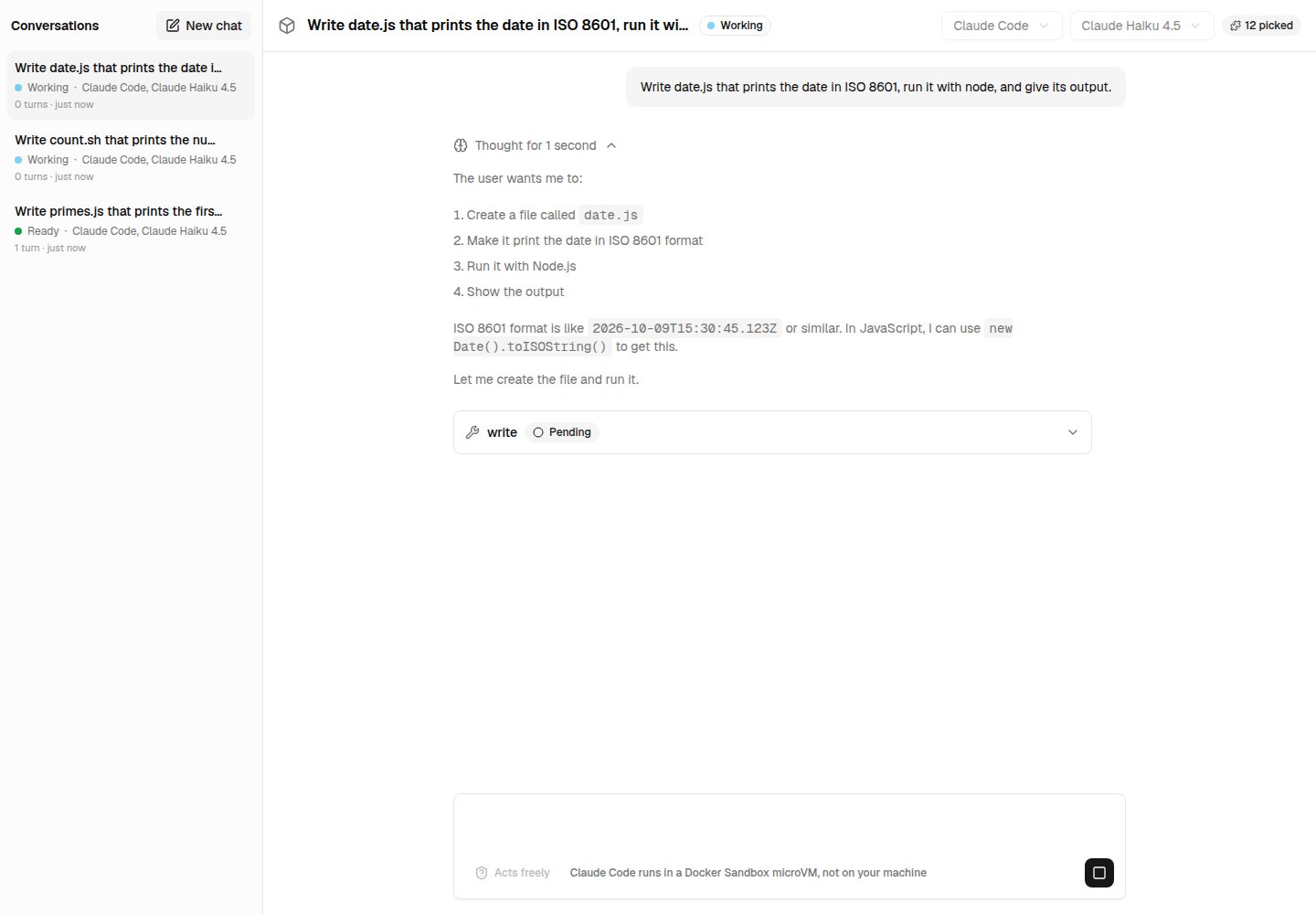
The first message of a conversation creates its session; each message starts a turn. The session keeps the conversation: only the new message goes to the agent.
import { sessions } from '@/lib/sessions';

export async function POST(request: Request) {
  const { id, messages } = await request.json();
  if ((await sessions.get(id)) === undefined) {
    await sessions.create({ id, metadata: { title: 'New conversation' } });
  }
  const turn = await sessions.send(id, { message: messages.at(-1), abortSignal: request.signal });
  return turn.toUIMessageStreamResponse();
}
useChat({ id }) on the page, one per conversation: a conversation keeps streaming while another one is shown.
List the conversations
list() gives every session with its status, get(id) one with its messages, to show a conversation again with useChat({ id, messages }). subscribe() calls you with every change: send them to the page as server-sent events, and the list follows each session as it works, waits, or is suspended.
const conversations = await sessions.list();
const unsubscribe = sessions.subscribe((event) => send(event));
Suspend and resume
After idleTimeoutMs without a message, a session is suspended: its harness session stops, its state goes to the store, and its port is freed for another conversation. The next message resumes it, and the agent carries on the conversation where it was. suspend(id) does it at once.
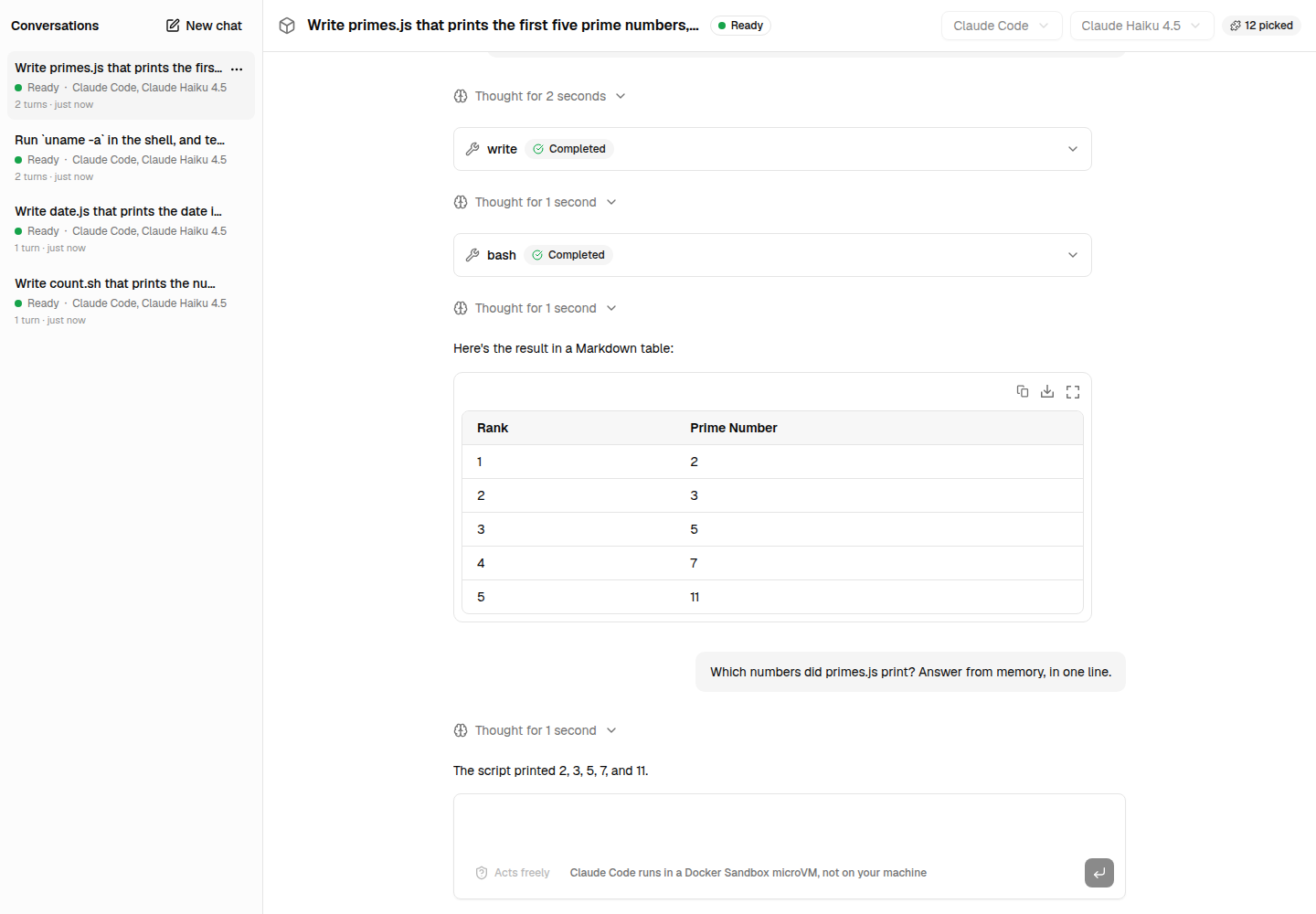
The default store keeps the sessions in memory. Implement SessionStore on your database to keep them across restarts: five methods, described in Keeping sessions.
Ask before acting
With permissionMode: 'allow-reads', Claude Code asks before it edits a file or runs a command. The turn pauses, and the session waits, awaiting-input, as long as it takes. useChat shows the request; once the user answers it with addToolApprovalResponse(), sendAutomaticallyWhen: lastAssistantMessageIsCompleteWithApprovalResponses sends the conversation back, and the route continues the turn:
const last = messages.at(-1);
const turn =
  last.role === 'assistant'
    ? await sessions.continue(id, { message: last })
    : await sessions.send(id, { message: last });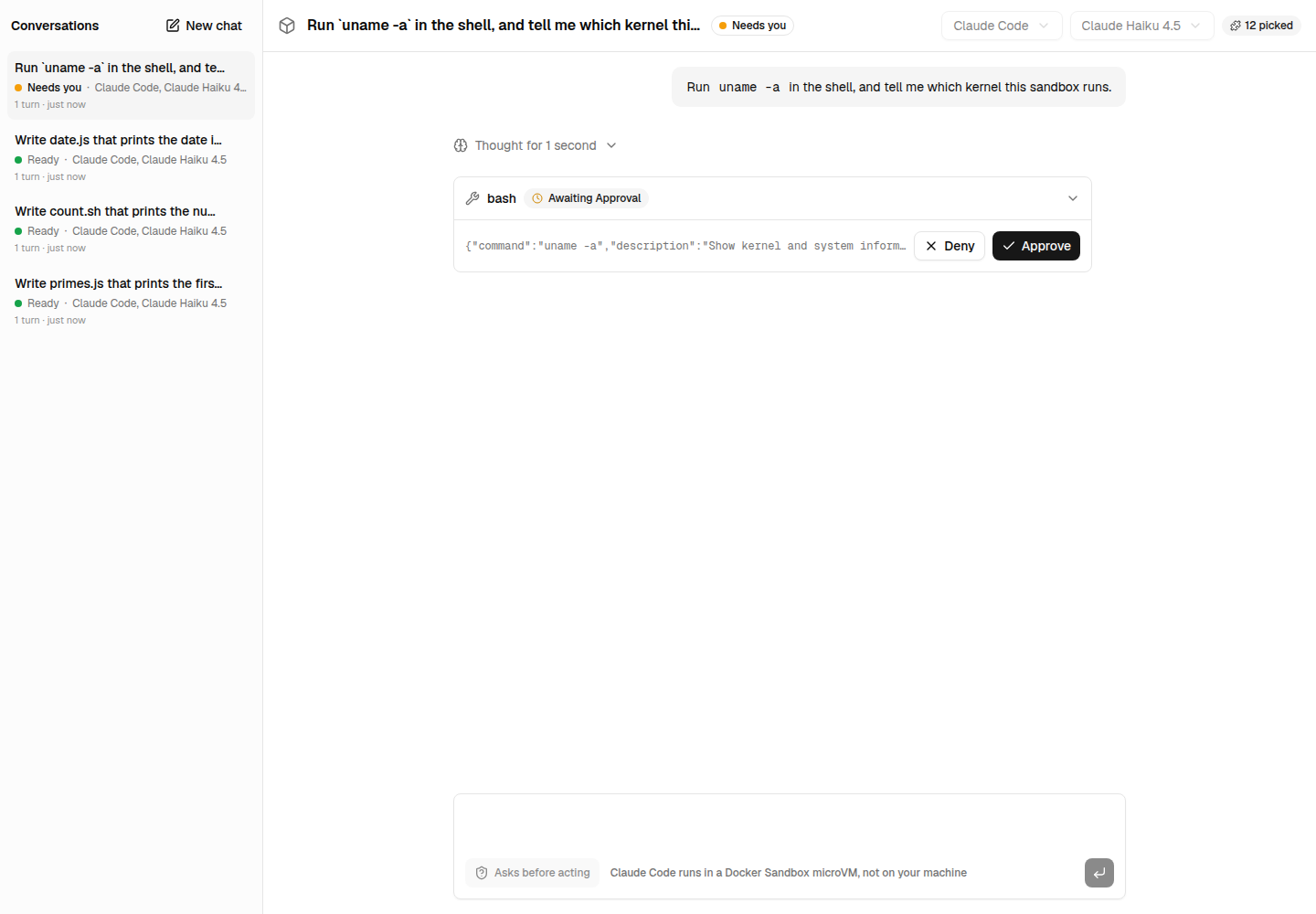
Two limits of the harness adapters, reported upstream: a Claude Code session that resumed after a
suspension or a restart asks for each approval again and again
(vercel/ai#22549), and Codex does not ask before
using its own tools yet (vercel/ai#22550). Your own
tools can ask on every runtime, through toolApproval.
Next steps
- Every option, status and error: the package's documentation.
- A sandbox per session, for conversations that must not see each other:
sandboxPerSession(). - The Next.js example, with its list of conversations, their statuses, and approvals.