UI components
shadcn/ui components for harness agents — the approval of a tool call, with "Always allow", and the agent's questions — installed from this site's registry.
Components for a useChat page talking to a HarnessAgent, in the line of AI Elements: they are shadcn/ui components, copied into your project, yours to change. They run in the Next.js example, whose source is what the registry serves.
Install
npx shadcn@latest add https://ai-sdk-harness.pages.dev/r/tool-approval.json
npx shadcn@latest add https://ai-sdk-harness.pages.dev/r/questions-form.json
Each goes to components/harness/, with what it needs: ai-sdk-harness-approval for its helpers, and the shadcn/ui button and input. The index of the registry is at /r/registry.json.
ToolApproval
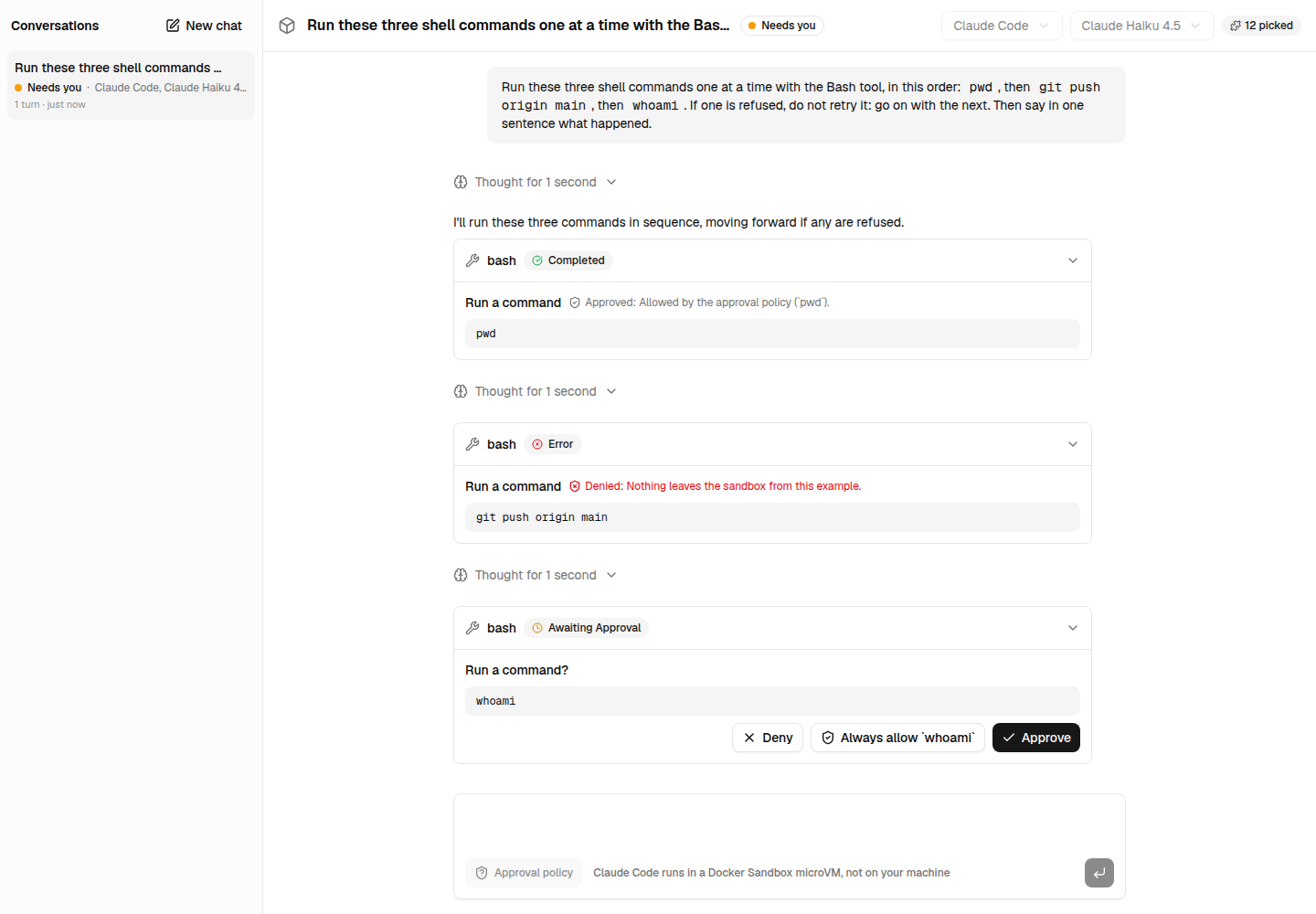
The approval of a tool call. While it waits, what the call does — "Run a command?" and the command, "Write a file?" and its path — with Deny, Always allow and Approve. Once answered, the verdict and its reason: "Approved: Allowed by the approval policy (ls)" when an approval policy answered within the turn.
import { ToolApproval, type ToolApprovalResponse } from '@/components/harness/tool-approval';

// For each tool part of a message, isToolUIPart(part):
<ToolApproval part={part} onRespond={respond} />;

function respond({ approvalId, approved, reason, grants }: ToolApprovalResponse) {
  // grants: what "Always allow" grants, from suggestGrant(). Keep them with the session.
  addToolApprovalResponse({ id: approvalId, approved, reason });
}| Prop | Description |
|---|---|
part | A tool part of a useChat message. Renders nothing when the call asked no approval |
onRespond | Called with the answer: { approvalId, approved, reason?, grants? }. Without it, it only shows |
className | Classes for its container |
QuestionsForm
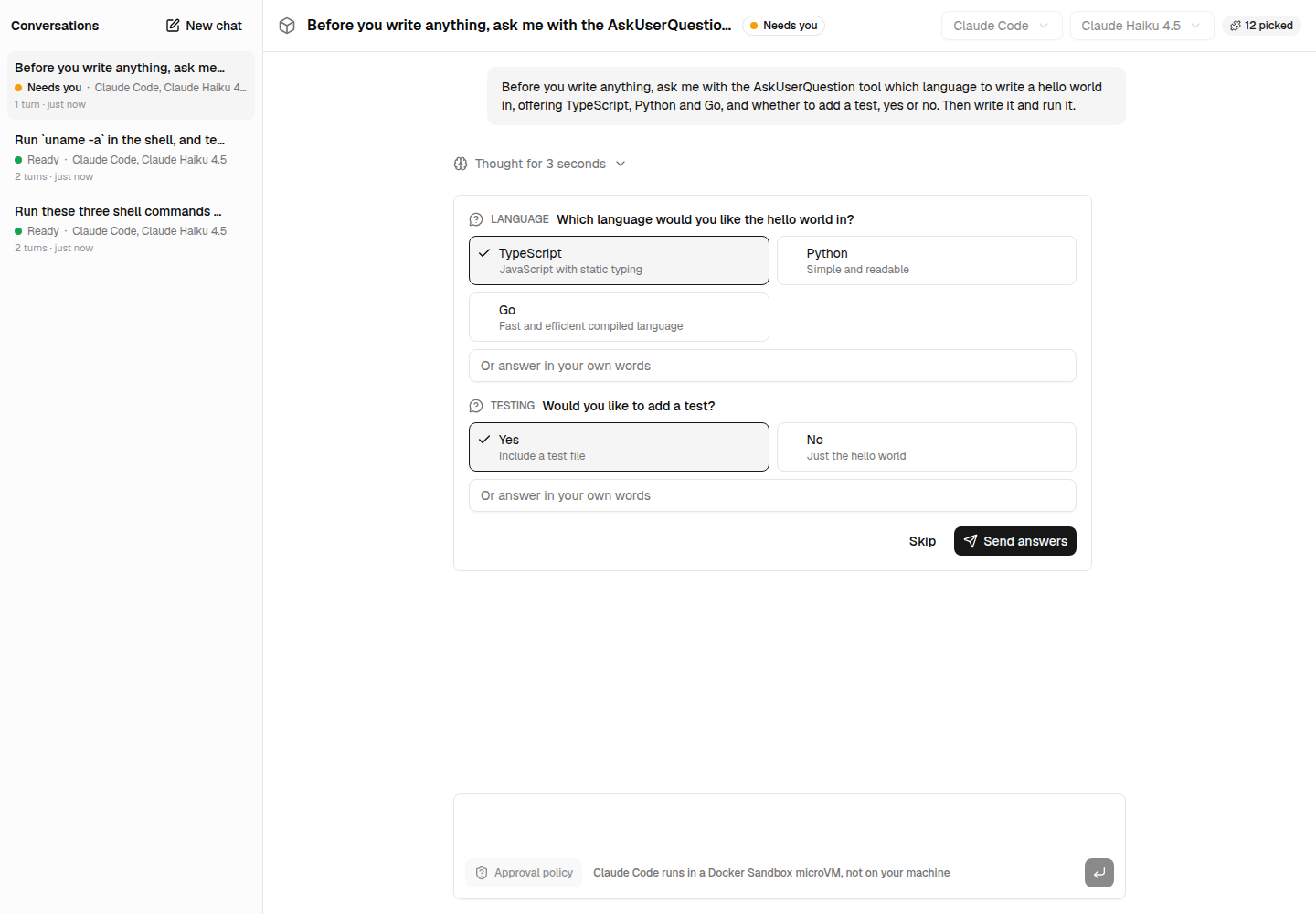
The questions of the agent, askUserQuestions — Claude Code's AskUserQuestion: each with its options, one to pick or several, and a free answer when it takes one, hidden as it is typed when it is a secret. Skip declines them. AnsweredQuestions shows the answers once given.
import { AnsweredQuestions, QuestionsForm } from '@/components/harness/questions-form';

if (getToolName(part) === 'askUserQuestions') {
  return part.state === 'output-available' ? (
    <AnsweredQuestions answers={part.output} questions={part.input} />
  ) : (
    <QuestionsForm
      questions={part.input}
      onSubmit={(output) =>
        addToolOutput({ tool: 'askUserQuestions', toolCallId: part.toolCallId, output })
      }
    />
  );
}| Prop | Description |
|---|---|
questions | The input of the call, AgentQuestions |
onSubmit | Called with its output, AgentAnswers: answered, partially answered, or declined |
disabled | Locks the form, while the answers are sent |
Approving tool calls
Keep a person in the loop with ai-sdk-harness-approval — a policy that allows, asks about or refuses the agent's commands and edits, "always allow" for a session, and the agent's questions.
Securing credentials
Keep the API keys and subscription tokens of the harnesses safe, in your application and at rest.